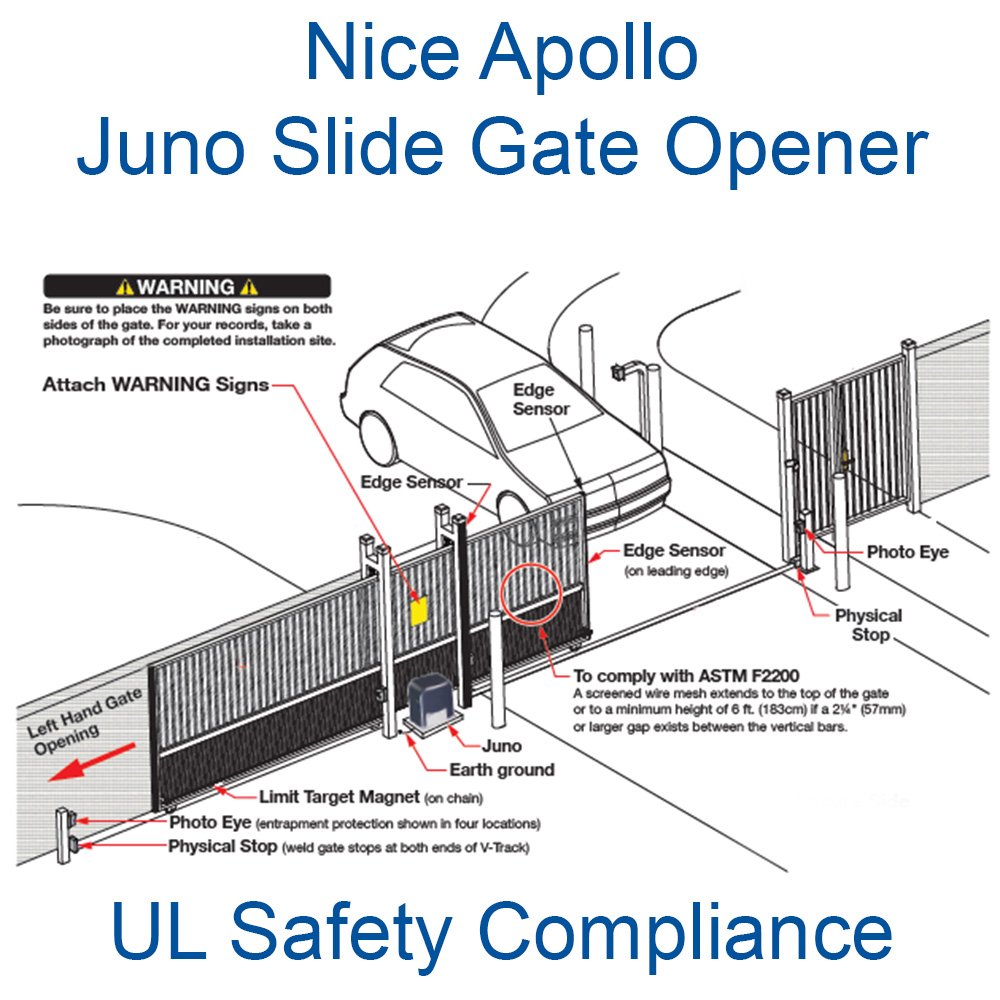


Nice Apollo 1050 Control Board Troubleshooting Tips
Is your apollo swing or slide gate system not working quite right? It's possible that some minor issues might've occurred during setup, luckily if you have the Apollo 1050i Universal Smart Control Board there's some easy fixes to get your gate opener up and running in just a few short minutes. We've gathered a few of our most common issues and the easiest solutions for you to get it back in working condition. If you're looking for more detailed guides, check out our other resources below!
| Issue | Possible Solution |
|---|---|
| Operator will not Power On / Power LED is OFF |
|
| Gate opens but will not close. |
|
| Battery backup system will not open gate upon AC power outage. |
|
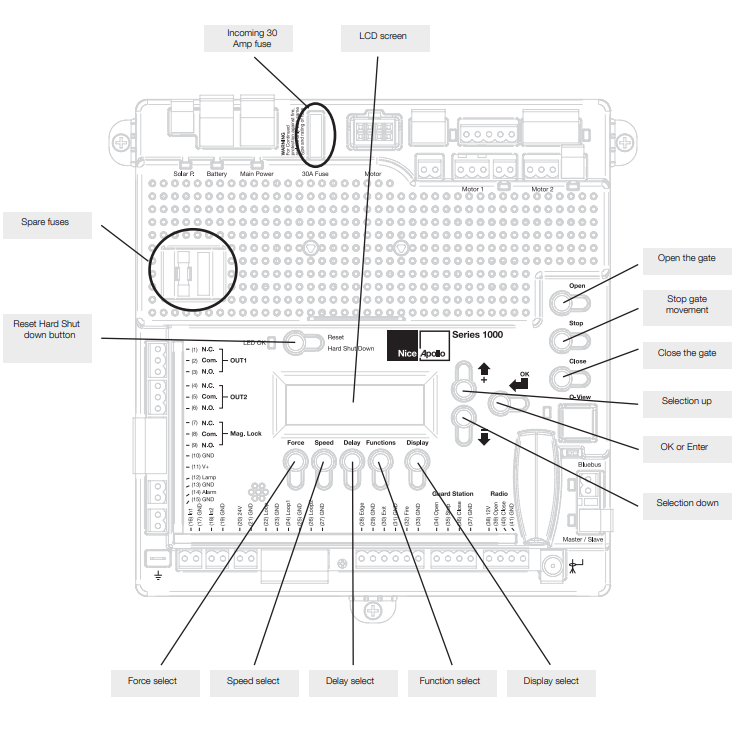
| Hard Shutdown (two back-to-back obstructions) LED blinking, Buzzer sounds for 5 minutes. | Clear any obstructions from the path of the gate, then Press STOP/CLEAR button on controller to clear the Hard Shutdown |
| Gate opens by itself. | Check accessory inputs and clear them as necessary |
| Gate opens a short distance, then stops and reverses |
|